


Vivitar Fly View Remote Control Drone With HD Camera And App Control
Vivitar Fly View Remote Control Drone With HD Camera And App Control
Best For
Couldn't load pickup availability


Product Overview
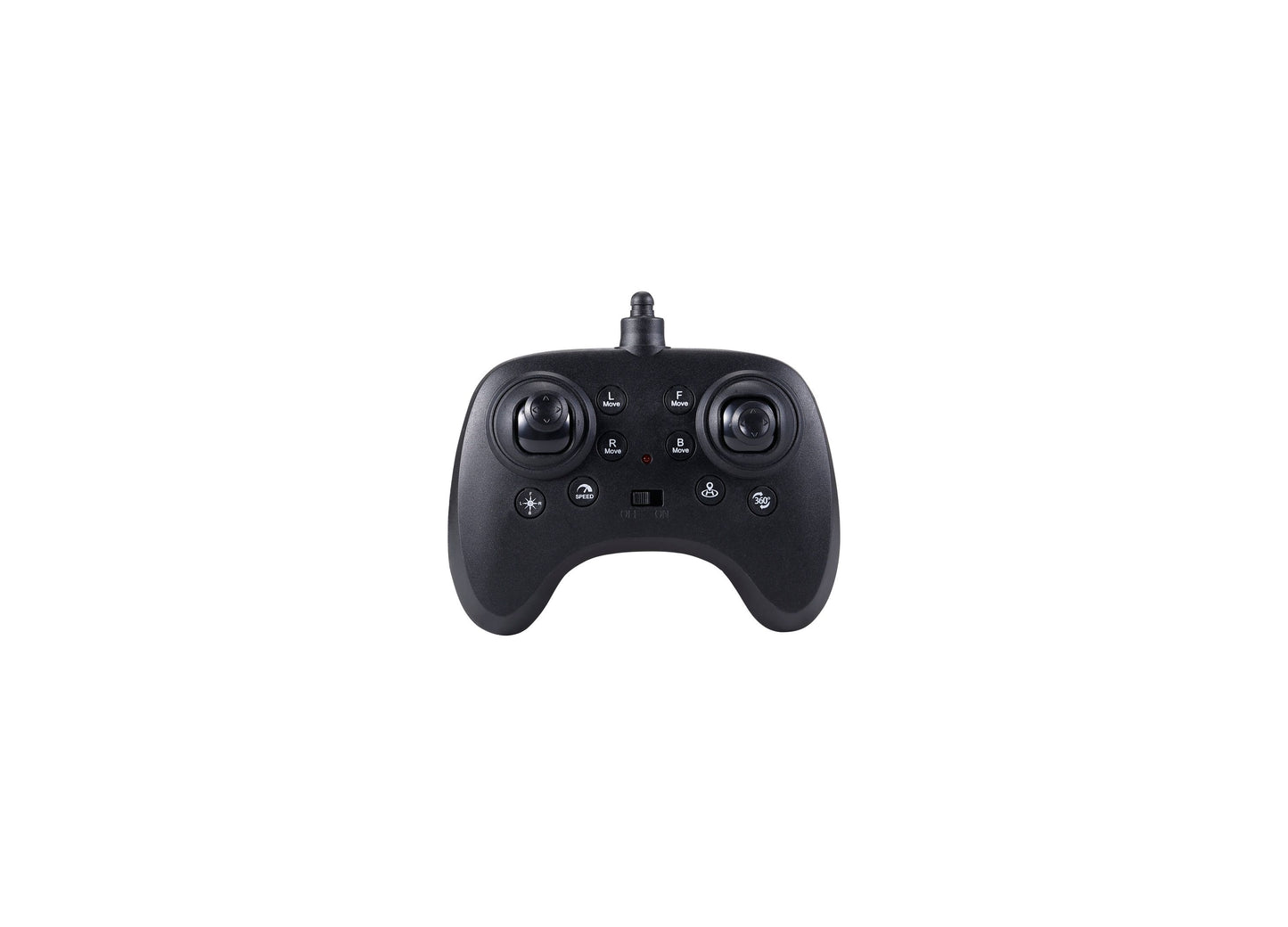
The Vivitar Fly View puts a live-streaming camera in the air with remote control and app-based flight options. Pilots ages 14 and up can fly via the included controller or take command through the VIVITAR AEROVIEW app on iPhone, which displays real-time HD video as the drone captures aerial footage. Variable speed settings let flyers adjust performance to match their skill level, while the one-key return function brings the aircraft back at the press of a button.
- Built-in HD camera streams live video to smartphones via WiFi, turning every flight into a chance to record from above
- Dual control modes offer traditional remote operation or app-based piloting with on-screen video feed
- Performs 3D flips and barrel rolls for stunt flying between photography sessions
- One-key return feature calls the drone back automatically, helpful for newer pilots still learning range management
- Variable speed settings allow beginners to start slow and work up to faster, more responsive flight
You May Also Like


Mickey Mouse 15-Inch Fly Wheel Cruiser Ride-On


Masters Of The Universe Movie Battle Cat 11-Inch Creature Figure With Chomp & Roar


Disney Pixar Toy Story 5 Running Woody 12-Inch Action Figure With Sounds


Toy Story 5 Buzz Lightyear Space Ranger Laser Gauntlet With 35+ Sounds


Hot Wheels Buzz Lightyear Star Command Adventure Track Set With Die-Cast Vehicle


Disney Pixar Toy Story 5 Blaze's Pet Pig Interactive Feature Plush Toy


Disney Pixar Toy Story 5 Lil' Partner Bullseye Interactive Posing Horse Figure


Disney Pixar Toy Story 5 Critter Talk Jessie 12-Inch Action Figure With Pig


Masters Of The Universe Skeletor Mask With Lights & Sounds Roleplay Costume


Fashems My Little Pony Collectible Squishy Mini Figures


Star Wars The Child Grogu 10-Inch Interactive Plush With Sound And Movement


Nerf Star Wars The Mandalorian Rocket Gauntlet With 6 Darts Ages 5+


Star Wars ActionVerse AT-RT & Imperial Remnant AT-RT Driver Vehicle Set


Star Wars The Mandalorian Grogu 6.5-Inch Action Figure


VTech Baby Hello Hippo Soft Phone Toy - Ages 6+ Months


Star Wars The Mandalorian Electronic Mask With Sound Effects


AquaPlay Harbor Waterway Playset With Crane, Pump, Slide, 3 Boats And 2 Figures


Super Mario Yoshi Egg Galaxy Movie Action Figure Playset


JAKKS Pacific Super Mario Galaxy Movie Bowser Jr. 5-Inch Action Figure Set


Super Mario Galaxy Movie 5 Inch Collector Yoshi Figure


Super Mario Galaxy Movie - 5" Mario Action Figure Set


SUPER MARIO Movie Gateway Galaxy Diorama Action Figure Set


Barbie Signature Kylie Minogue 12 Inch Collectible Doll


Play-Doh Disney Junior Mickey Mouse Stamp and Go Creative Megapack


Disney Princess 11.5" - Rapunzel Fashion Doll


Play-Doh Burger Truck Creations Playset - Culinary Art Fun


Disney Princess Fashion Doll - Moana 11.5 Inch


SEGA DC Comics Sonic & Batman 6-Inch Action Figures - Shadow & Batman Duo


Sonic The Hedgehog Deluxe Action Figures - Tails & Cyborg 6 Inch Collectibles


SEGA DC Comics Sonic & Superman Action Figures - Ultimate Hero Pack


SEGA DC Comics Sonic & Wonder Woman 6 Inch Action Figures - Dual Pack


Hot Wheels Mega Loop Garage - Ultimate Racing Playset


Hot Wheels City Shark Chomp Beach Playset


Disney Pixar Cars Stunting Speedway Playset with Piston Cup


Imaginext Disney Pixar Toy Story Pizza Planet Playset With Buzz Lightyear


Imaginext Disney Pixar Toy Story Jessie & Bullseye 3-Inch Figure Playset


Fisher Price Little People Super Mario 6-Figure Playset


Fisher Price Little People My Mario Bowser's Airship Playset


Fisher Price Little People My Mario Adventure Playset - Musical Fun


Fisher Price Little People Disney Jr. Mickey and Minnie Musical Train


Fisher Price 3-in-1 Kick and Sway Activity Gym – Sensory Delight


Discovery #MINDBLOWN Sensory Science Test Tube Chemistry Lab Set


Barbie Deluxe Style Fashion Doll - Trendy Denim Ensemble


Barbie Cutie Reveal Cuddly Series Doll - Plush Animal Costumes


Barbie Petal Pop Scented Fashion Doll - Blossom Beauty
Full Details
Care Notes
- cleaning: Wipe the drone body and camera lens with a soft, dry cloth after each flight to remove dust and debris.
- storage: Store the drone in a cool, dry place away from direct sunlight. Remove batteries from the remote control if not using for extended periods.
- material warnings: Keep the drone away from water and moisture. Avoid flying in rain or wet conditions.
Use Cases
- Outdoor flying in parks or open fields on calm days
- Birthday gift for children interested in aviation and remote control toys
- Recording aerial videos of family gatherings or outdoor events
- Learning basic drone piloting skills before advancing to more complex models
- Backyard entertainment for kids during weekend playtime
- Capturing unique overhead photos of landscapes or neighborhoods
Skills Developed
- primary skill: Spatial reasoning
- fine motor: Hand-eye coordination through precise joystick control and real-time flight adjustments
- problem solving: Navigating obstacles and planning flight paths to capture desired video angles
- technology literacy: Operating app-based controls and understanding WiFi connectivity for live video streaming
Age Suitability
- minimum safe age: 8 years
- ideal age range: 8-14 years
- developmental fit: 8-10 years: Children develop hand-eye coordination and spatial awareness through basic flight maneuvers and camera operation. 11-12 years: Preteens master advanced stunts like 3D flips while learning to frame and capture aerial video footage. 13+ years: Teens explore creative videography techniques and experiment with different flight patterns and camera angles.
Play Patterns
- primary play type: Active outdoor piloting with technology integration
- play structure: Children launch the drone, practice flight maneuvers, perform stunts, and record aerial video footage during 10 to 20 minute flight sessions.
- social context: Solo piloting or taking turns with friends, with spectators watching live video feed on the connected device.
- adult involvement: Initial setup requires adult help to install the app and connect the drone. Supervision recommended during early flights to ensure safe operation in open areas.
- play progression: Pilots start with basic hovering and directional control at lower speeds, advance to performing flips and rolls, then focus on capturing smooth aerial video as skills improve.
- session length: 15 to 25 minutes per session, limited by battery life and requiring recharge time between flights.
Why It Works
- primary benefit: The one-key return function and variable speed settings make drone piloting accessible for beginners while building confidence in flight control.
- secondary benefit: Live video streaming through the app provides immediate visual feedback that helps children understand spatial positioning and aerial perspectives.
What Makes It Fun
- A built-in camera streams live aerial video straight to your phone, so you see exactly what the drone sees as it flies.
Why They'll Love It
- * Built-in HD camera streams live video to the app * 3D flips and rolls add stunt action to flights * Remote or iPhone app control for flexible piloting
Customer Q&A
Does this drone have a camera?
Yes, the Vivitar Fly View Drone has a built-in high-definition camera that captures aerial views and streams live video to a smartphone or tablet through the VIVITAR AEROVIEW app.
Can it be controlled with a smartphone?
Yes, the drone can be controlled through the VIVITAR AEROVIEW app on iPhone, or with the included traditional remote control.
Does it perform tricks?
Yes, the drone performs 3D flips and rolls for aerial stunts and dynamic maneuvers.
Is there a return-to-home feature?
Yes, the drone includes a one-key return function that brings it back to the pilot automatically.
Can the flight speed be adjusted?
Yes, the drone has variable speed settings that allow pilots to adjust flight speed based on skill level and conditions.
How does the live video work?
The drone streams real-time video from its camera to a connected device via WiFi using the VIVITAR AEROVIEW app.

